
Transferring Emails
The following tutorial will go over how to transfer emails from one server to another. This is helpful to know when/if you host your emails with us. This tutorial is based on a user switching from their current email hosting company (Luxsci in this example) to our server (Rackspace). Although your specific situation may be different, the your process should be very similar.
This is useful if some emails still make it to your old email box for the next few days after the transfer while the new email is still being set.
Whithin the Apple mail find the inbox folder if not already done click the arrow to show the full list of inboxes.

Rackspace is the inbox for the new server. Check the old inbox folder for any new emails then select these emails by clicking on the first, hold shift, then click the last desired email.

Click EDIT > COPY (⌘ or ctrl C) on your keyboard.
NOTE: for larger selections it may show a loading bar as it copies the emails selected.

Now go to the new Rackspace inbox. Select the inbox and click edit> PASTE (⌘ or ctrl p)
Now depending on the amount of emails you may see a loading screen in the mail activity window.
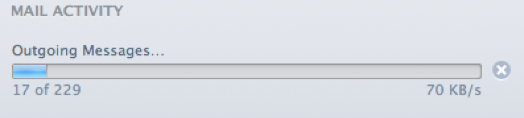
Now the emails have been transferred over. This process is the same for any folder or sub-folder as well. This process will not be needed after a few days of transfer at that point all the emails will be sent to the new inbox.
Still have questions? Feel free to contact us with any questions or concerns!